
7 Essential Courtroom Technology Examples for Trial Success
- TrialTech Support LLC

- 7 days ago
- 9 min read
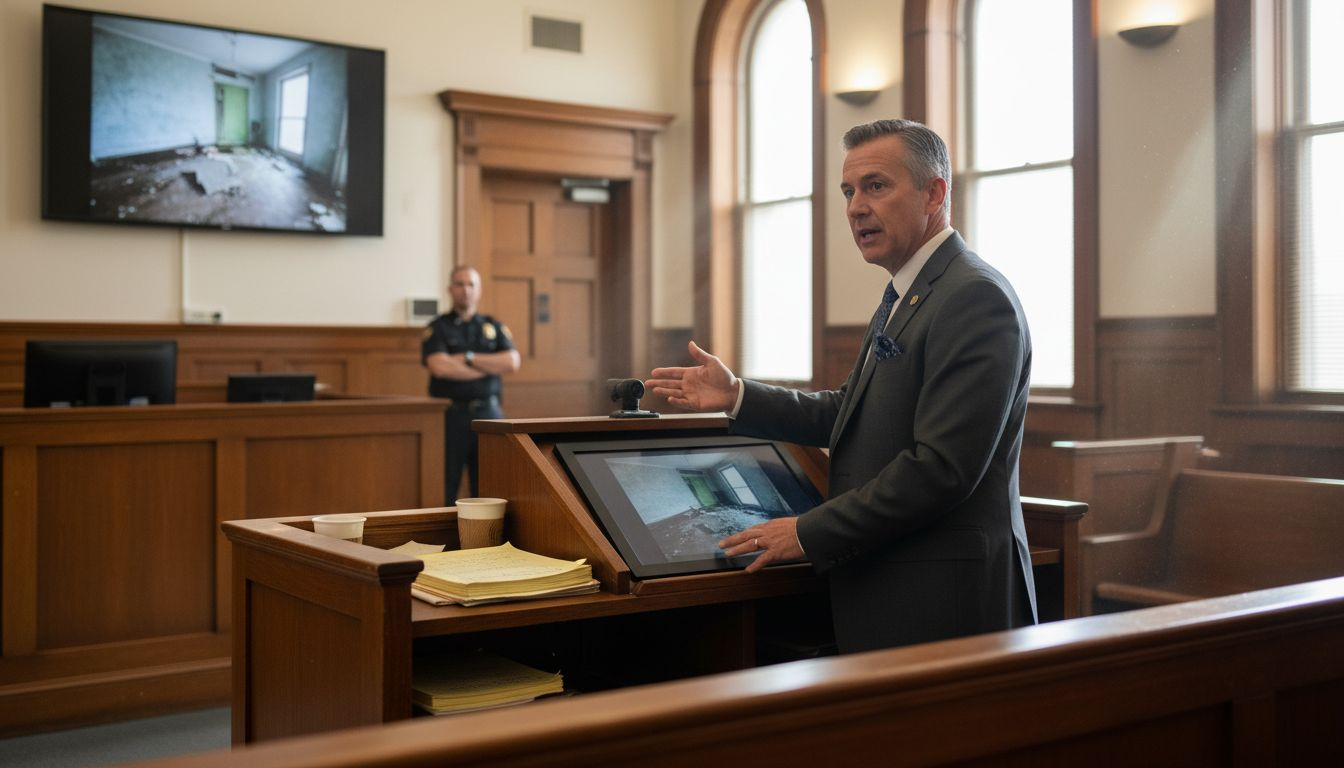
Presenting evidence in a courtroom can be stressful when the stakes are high and every detail matters. Traditional methods often leave gaps in clarity, accessibility, and communication, making complex information hard for judges and juries to grasp. If you want your legal team to stay ahead, you need tools and strategies that make evidence vivid, reliable, and securely delivered.
This list brings you practical solutions designed to transform how evidence is handled—from digital displays and real-time reporting to secure connectivity and remote testimony. Get ready to discover actionable ways to improve your presentation, strengthen your case, and keep your proceedings running smoothly. Each item reveals a tangible advantage you can use in your next trial.
Table of Contents
Quick Summary
Takeaway | Explanation |
1. Maximize Evidence Impact with Technology | Utilize advanced digital evidence presentation systems to enhance clarity and engagement during trials. |
2. Leverage Interactive Displays for Engagement | Use interactive display monitors to transform static information into dynamic visual narratives for juries and judges. |
3. Ensure Remote Testimony Integrity | Implement robust remote witness testimony solutions while maintaining legal standards and protocols for authenticity. |
4. Optimize Document Management Efficiency | Utilize AI-powered document management systems to streamline case-related document retrieval and organization. |
5. Secure Wireless Connectivity is Essential | Invest in secure wireless network infrastructure to support seamless courtroom operations and protect sensitive information. |
1. Digital Evidence Presentation Systems
Courts today rely increasingly on sophisticated digital evidence presentation systems to transform how legal teams communicate complex information during trials. These advanced technological platforms enable attorneys to present digital evidence with unprecedented clarity and impact.
Digital evidence presentation systems integrate multiple technologies to help legal professionals showcase documents, images, videos, and electronic records seamlessly in courtroom settings. The goal is simple: make evidence more accessible and understandable for judges, juries, and all trial participants.
Key components of these systems typically include:
High-resolution document cameras
Multiple HD monitors
Touchscreen annotation interfaces
Seamless device connection capabilities (HDMI/VGA)
Touch panel control systems
Legal teams can leverage these systems to highlight critical evidence details by annotating digital materials in real time. Witnesses can use interactive screens to circle, highlight, or draw directly on digital exhibits, making complex information immediately comprehensible.
Digital evidence presentation transforms abstract information into clear, compelling visual narratives.
Accurately presenting digital evidence requires careful preparation. Attorneys must ensure their digital materials meet strict legal standards for authenticity and admissibility. This means maintaining a clear chain of custody and working with technicians who understand both legal protocols and technological requirements.
Pro tip: Always conduct a comprehensive technical rehearsal with your presentation systems at least 24 hours before trial to identify and resolve potential connectivity or display issues.
2. Interactive Display Monitors and Screens
Modern courtrooms are transforming legal presentations through sophisticated interactive display technologies that revolutionize how evidence is shared and understood. These advanced monitors provide attorneys with powerful visual communication tools that can make complex information immediately comprehensible.
Interactive display monitors are strategically placed throughout courtrooms to maximize information accessibility. Typically positioned at counsel tables, witness stands, and suspended from courtroom ceilings, these high-resolution screens enable seamless digital evidence presentation.
Key features of interactive display systems include:
85-inch touchscreen displays
High-definition video capabilities
Real-time annotation interfaces
Multiple source input options
Ceiling-mounted and table-mounted configurations
The primary advantage of these systems is their ability to transform abstract legal information into clear visual narratives. Attorneys can now highlight specific document sections, zoom into critical details, and annotate evidence in real time, making complex information immediately understandable for judges and juries.
Interactive display monitors turn static evidence into dynamic, engaging courtroom experiences.
Successful implementation requires careful planning and technical coordination. Legal teams must work closely with courtroom technology specialists to ensure smooth integration and maximize the potential of these advanced presentation tools.
Pro tip: Conduct a comprehensive technical rehearsal with your interactive display system at least 48 hours before trial to identify potential connectivity or functionality challenges.
3. Remote Witness Testimony Solutions
The digital transformation of courtroom proceedings has revolutionized how witnesses provide testimony through advanced remote participation technologies. Modern legal teams now leverage sophisticated videoconferencing and telepresence systems that enable witnesses to contribute critically important testimony without physical courtroom presence.
Remote testimony solutions have emerged as a game-changing approach for courts seeking increased efficiency and accessibility. These technologies address multiple challenges in traditional courtroom settings by providing flexible testimony options for participants who cannot appear in person.
Key advantages of remote witness testimony include:
Enhanced courthouse safety
Reduced transportation costs
Expanded geographic participation
Increased accessibility for expert witnesses
Minimized logistical complications
Successful implementation requires careful technical and legal planning. Courts must establish clear protocols to ensure the integrity of remote testimonies while maintaining constitutional standards for fair legal proceedings.
Remote testimony transforms traditional courtroom dynamics by breaking geographic barriers.
Legal professionals must work closely with technology specialists to create robust systems that support high-quality audio and video transmission. This includes selecting professional-grade videoconferencing platforms with advanced security features and stable connectivity.
Pro tip: Conduct comprehensive technical rehearsals with remote witnesses at least 72 hours before their scheduled testimony to troubleshoot potential connectivity or equipment issues.
4. Document Management and Retrieval Tools
Modern legal practices demand sophisticated digital document management systems that transform how attorneys organize, access, and present critical case materials. These advanced technological solutions have revolutionized traditional paper-based document handling in courtroom settings.
AI-powered document management tools now enable legal professionals to streamline complex information retrieval processes with unprecedented efficiency. Attorneys can quickly locate, organize, and present case-related documents using intelligent software platforms that understand context and relevance.
Key features of advanced document management systems include:
Automated document indexing
Intelligent search capabilities
Secure cloud storage
Real-time collaboration tools
Cross-reference and annotation functions
Compliance tracking mechanisms
Legal teams can leverage these tools to dramatically reduce time spent searching for documents and increase overall case preparation effectiveness. The ability to quickly retrieve specific information can make a significant difference during trial presentations and legal strategy development.
Digital document management transforms scattered information into organized, actionable knowledge.
Successful implementation requires careful selection of tools that align with specific legal workflow requirements. Attorneys must balance technological capabilities with data security and privacy considerations.
Pro tip: Conduct a comprehensive training session for your entire legal team when implementing a new document management system to ensure consistent and efficient usage.
5. Real-Time Court Reporting Technology
The digital transformation of legal documentation has revolutionized courtroom record-keeping through sophisticated real-time reporting technologies. Modern court reporting goes far beyond traditional stenographic methods to deliver instantaneous, accurate transcription of legal proceedings.
Real-time court reporting technology represents a breakthrough in capturing precise legal communications. Advanced stenotype machines now connect directly to computer systems that generate immediate text transcripts during hearings and trials.
Key features of modern court reporting systems include:
Instantaneous verbatim transcription
Computer-aided transcription software
Remote transcript transmission
Closed captioning capabilities
Accessibility support for hearing-impaired participants
Multiple display options (monitors, screens, digital platforms)
Legal professionals can leverage these technologies to enhance communication accuracy accountability and ensure comprehensive documentation of court proceedings. The ability to generate immediate transcripts provides significant advantages in case preparation and legal record maintenance.
Real-time court reporting transforms spoken words into immediate, searchable text.
Successful implementation requires specialized training for court reporters and investment in advanced technological infrastructure. Attorneys and court administrators must collaborate to select and integrate these sophisticated reporting systems effectively.
Pro tip: Request a comprehensive technical demonstration of real-time reporting systems before final selection to evaluate their specific features and compatibility with your courtroom requirements.
6. Secure Wireless Internet and Connectivity
Modern courtrooms demand robust network infrastructure for seamless communication and evidence presentation. Secure wireless internet has become a critical component of contemporary legal technology strategies that enable efficient digital collaboration.
Courtroom internet connectivity represents more than just basic internet access it is a sophisticated technological ecosystem designed to support complex legal proceedings. Advanced wireless networks must balance accessibility with stringent security protocols to protect sensitive judicial information.
Key considerations for courtroom wireless networks include:
High-speed bandwidth capabilities
Multi-layered security protocols
Device compatibility
Encrypted communication channels
Reliable video conferencing support
Seamless evidence transmission
Legal professionals require network solutions that can simultaneously support multiple devices and communication platforms without compromising data integrity. This means implementing robust firewalls, secure authentication mechanisms and dedicated bandwidth for critical court applications.
Secure wireless connectivity transforms courtrooms into dynamic digital collaboration spaces.
Successful implementation demands close collaboration between court technology specialists legal administrators and cybersecurity professionals. The goal is creating a flexible yet protected digital environment that enhances judicial efficiency.
Pro tip: Conduct comprehensive penetration testing and security audits on your courtroom wireless network at least twice annually to identify and address potential vulnerabilities.
7. Onsite Technical Support and Troubleshooting
The complexity of modern courtroom technology demands sophisticated onsite technical support that ensures seamless legal proceedings. Dedicated technical professionals play a critical role in managing and maintaining the intricate digital ecosystem of contemporary courtrooms.
Onsite technical support represents the crucial backbone of effective courtroom technology deployment. These specialized professionals manage everything from advance equipment setup to real-time troubleshooting during critical legal proceedings.
Key responsibilities of onsite technical support teams include:
Pre-trial equipment configuration
Live technical monitoring
Immediate problem resolution
Device and software compatibility management
Network stability maintenance
Emergency technical intervention
Successful technical support goes beyond merely fixing problems. These professionals must anticipate potential technical challenges and develop proactive strategies to mitigate disruptions that could compromise trial efficiency.
Onsite technical support transforms potential technological chaos into smooth, reliable courtroom operations.
Legal teams benefit immensely from having dedicated technical experts who understand both technological intricacies and the high-stakes nature of judicial proceedings. Their expertise ensures that technology enhances rather than hinders the pursuit of justice.
Pro tip: Develop a comprehensive technical contingency plan that includes backup equipment and alternative communication strategies to minimize potential technological interruptions during trials.
Below is a comprehensive table summarizing the technologies and strategies transforming courtroom proceedings, as detailed in the article.
Technology/Strategy | Key Features and Components | Implementation Notes |
Digital Evidence Presentation | High-resolution cameras, multiple HD monitors, annotation interfaces | Conduct technical rehearsals to ensure system functionality. |
Interactive Display Monitors | Touchscreen displays, real-time annotation, multiple input options | Place monitors strategically for maximum accessibility. |
Remote Witness Testimony Solutions | Videoconferencing platforms, expert connectivity, geographically expanded access | Organize technical rehearsals to ensure reliable witness participation. |
Document Management Tools | AI-assisted indexing, intelligent searching, secure cloud storage | Train legal teams thoroughly to enhance system utilization. |
Real-Time Court Reporting | Instant transcription, computer-aided systems, closed captioning | Acquire proper training for court reporters to maximize efficiency. |
Secure Wireless Connectivity | High-speed networks, multi-layered security, encrypted communication | Regularly audit and test network infrastructure. |
Onsite Technical Support | Configuration, live troubleshooting, emergency response | Develop a broad contingency plan that includes backup systems and procedures. |
Elevate Your Trial Success with Expert Courtroom Technology Support
Navigating the complexities of courtroom technology is crucial to presenting digital evidence clearly and maintaining seamless trial operations. This article highlights key challenges like managing interactive displays, handling remote witness testimony, and ensuring reliable onsite technical support—all vital for creating powerful visual narratives and protecting courtroom integrity. If you want to avoid technical disruptions and deliver presentations that truly impact judges and juries, expert help is essential.

Partner with TrialTech Support LLC to transform courtroom challenges into confident, smooth trial experiences. From skilled “hot seat” presentation technicians and graphics specialists to comprehensive onsite IT+ support, we manage every detail so you can focus on winning your case. Don’t wait until trial day to discover technological issues. Visit our site now and ensure your courtroom technology is ready to perform flawlessly: TrialTech Support offers tailored solutions that align perfectly with the advanced tools discussed in this article, including real-time evidence presentation and secure connectivity systems.
Frequently Asked Questions
What is a digital evidence presentation system?
A digital evidence presentation system is an advanced technological platform used in courtrooms to clearly communicate complex information during trials. To implement one in your courtroom, collaborate with technology specialists to ensure integration of document cameras and HD monitors.
How can interactive display monitors enhance courtroom presentations?
Interactive display monitors allow attorneys to present evidence dynamically, making complex information easier to understand. To utilize their full potential, ensure they are positioned strategically around the courtroom for maximum accessibility.
What are the benefits of using remote witness testimony solutions?
Remote witness testimony solutions enable witnesses to provide testimony from any location, improving accessibility and safety. To implement this, establish clear protocols and conduct technical rehearsals to ensure reliable video and audio quality.
How do digital document management systems improve legal workflows?
Digital document management systems streamline how attorneys organize and access case materials, enhancing efficiency and reducing preparation time. To maximize their effectiveness, invest in training for your team to ensure consistent use.
Why is real-time court reporting important in a courtroom setting?
Real-time court reporting allows for instantaneous transcription of legal proceedings, improving communication accuracy. To benefit from this technology, select a system that supports closed captioning and multiple display options to enhance accessibility for all participants.
What steps should I take to ensure secure wireless connectivity in a courtroom?
To ensure secure wireless connectivity, focus on establishing high-speed bandwidth with multi-layered security protocols. Schedule regular security audits and penetration testing every six months to identify and address potential vulnerabilities.


Comments